
Paavana Web User Interface
Test Automation
End-to-End Solution for user Interface Test Automation
Cross Browser Testing
Cross Browser testing ensures a seamless user experience by verifying software functionality across different browsers

Parallel Execution
Parallel Execution boosts efficiency by running multiple tests simultaneously across different environments

Multi-OS Support
multi operating systems compatibility The framework supports multi operating systems like Windows, Linux, and macOS.

Custom Configuration
Custom Configuration tailors settings for specific needs, enhancing flexibility and performance
Low Code
Low-Code enables faster test creation with minimal coding, making automation accessible to all

Record and Playback
Record and Playback in test automation enables quick test creation by capturing and replaying user actions
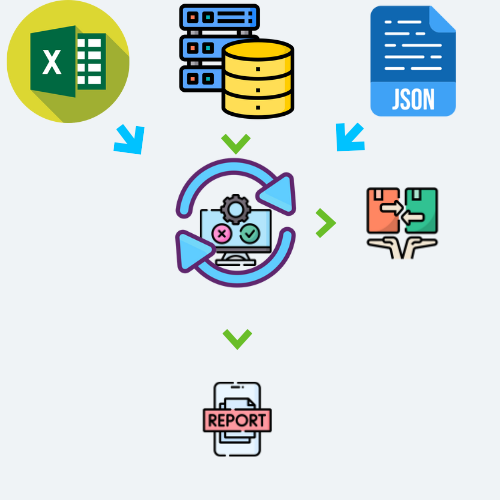
Data Driven Testing
Data-driven testing executes tests with multiple data sets, improving coverage and reliability

On-Premise
On-premise test automation ensures control, security, and customization by running tests locally
CI/CD Integration
CI/CD integration ensures continuous testing, enabling faster feedback and smoother software delivery

Reporting, Logging, and Analysis
Reporting, Logging, and Analysis offer insights into test results, helping detect issues and improve software quality

Test Execution Summary
Test Execution Summary is stored in your database (MySQL, PostgreSQL, MongoDB) and is supported by database connection utilities, helping analyze past and current performance based on your configuration settings.

Jira Integration
Jira Integration streamlines test management by linking test results with issues for better tracking and collaboration

Email Integration
Email integration enables automatic notifications, test reports, and alerts for better monitoring and communication

Visual and Layout Testing
Visual and layout testing ensures UI Consistency by detecting visual bugs and design deviations across different screens.

Accessibility Testing
Accessibility Testing ensures easy adoption and execution, enabling efficient testing for all users.
Paavana Test Automation Framework Suite
© iStaffVision Consulting LLP. All rights reserved.
Features
- Re-usable utilities/wrappers aligning with the Page Object Model which reduces over 60% of the effort in writting scripts.
- Playback and Record which reduces around 80% of the effort in writting scripts.
- Smart re-usable assets that can be easily plugged in for E2E tests.
- Enables developing test scripts to automate testing of applications.
- Applicable across various technical stacks and domains like Banking, Retail, E-commerce, Healthcare and automotive.
- Parallel execution and reporting infrastructure like HTML Reports and Allure Reports.
Compatibility of the framework
- Application built using different technical stacks like HTML, Javascript, Angular and React.
- Cross browsers like Edge, Chrome and Firefox across different operating systems.
- Multiple operating systems like Windows, Linux and Mac.
- Email notifications.
- Test execution summary and analytics.
Generic utilities
- Utilities to support end to end (E2E) tests that will work along with core wrapper utilities
- Script configuration related utilities
- Database Connected related utilities (MySql,PostgresSql and Mongo DB).
- File parsing/data parsing and formatting utilities
- Generic logger utility for logging framework and application errors and exceptions.
- Jira Integration for logging issues during test automation execution.
- Logging of test automation execution summary in a database table for better audit trialsand analytics.